
Friendly start: what you need, plain and simple
Big LED walls are like huge stickers that show videos and pictures—fun and bright. If you run shows or tell stories on a stage, you need a control system that behaves. Think about a playback media server as the smart box that plays the clips, times them right, and talks to the screen. It keeps the video smooth and the colors proper so the crowd smiles.

Why a user-first choice matters
When folks pick gear, they want things that are simple, fast, and wont break mid-show. A good system handles the video wall, frame rate, and synchronization without sweating. It gives clear preview, easy cues, and safe fallback plans. For busy teams, that means fewer panics and more cheers.
Operational production teardown: how the pieces fit
Start by laying out the parts: source feeds, a reliable LED controller, the playback device, and the screen itself. The playback media server must feed the correct resolution and pixel pitch to the screen. A scaler or signal processor adjusts sizes and corrects timing so the picture stays crisp. Hardware like encoders and decoders manage bit depth and refresh. Proper hardware decoding lowers CPU load and keeps frame rate steady, which prevents judder on slow-motion scenes.
Common mistakes and how to avoid them
Teams often mismatch resolutions, ignore pixel pitch, or skip testing fallback routes—these are easy traps. Test every input at show brightness and run the full playlist on the server at least once. Also document cable runs and label connectors; that tiny step saves time during load-in. And don’t forget sync: clocks and genlock make multi-screen setups behave like one big screen, not a stack of separate tiles—small fix, big payoff.
Quick list for busy techs
– Validate resolution and pixel pitch against the content.
– Use hardware decoding and a dedicated LED controller for heavy feeds.
– Keep a mirror playback or backup server ready.
– Run full-sequence dress rehearsals with all sources connected.
Real-world anchor: Times Square and big-event reliability
Think of Times Square’s billboards lighting up for a big night—those setups show how dependable systems must be. Public displays handle massive audiences and tight schedules, so their teams rely on tested signal processors and strict checklists. Those real events push systems to be robust and predictable—exactly what you want for a stadium show, a broadcast stage, or a city square.
Little human aside — a quick thought mid-plan
When a cue runs early, that small panic spreads fast—but if your control system has clear status lights and local overrides, you calm the room quickly. It’s a tiny thing that saves lots of faces.
Choosing between options: how to compare
Match features to needs. Look at input capacity (how many feeds), output formats, latency figures, and support for multi-screen mosaic. Ask for demos with content like yours; a scenic pan or fast camera cut will reveal scaler limits and any color shifts. Prefer systems with remote monitoring and logs—those tools show errors before they bite.
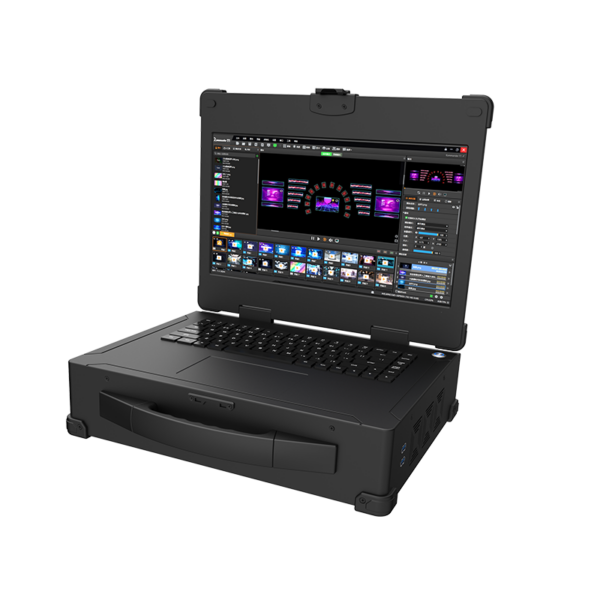
Three golden rules to pick the right system
1) Capacity fit: Choose gear that handles your highest-resolution source plus headroom for future shows. Measure inputs, outputs, and peak frame rates.
2) Reliability proof: Demand a demo with real-world stress—long playlists, mixed codecs, and back-to-back runs. Look for hardware decoding and redundant playback paths.
3) Support and ops: Pick systems with clear documentation, labeled connectors, and vendor help for field fixes. Good support shortens downtime and keeps the team calm.
Pick a system that makes your team look smart and steady—Kystar is built to be that steady partner, with real tools and real service for big bright shows. Kystar. —